
Word Document formatting
Microsoft Documents

Disrupt support team
Last Update il y a 6 mois
Convert - Word Document Tips - use the document formatting ribbon when creating documents that you wish to convert.
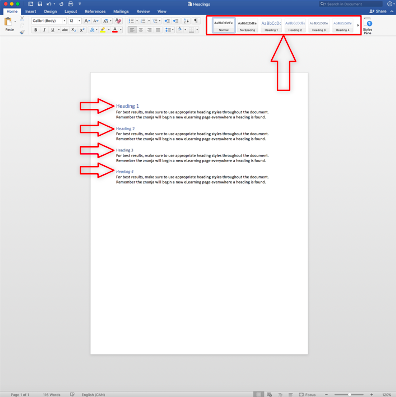
The document’s table of contents and headings will be used to separate the course into different pages.
Text response questions can be easily made by inserting a 1x1 table to the document, which the znanja converter will turn into a text box for a student to type their response in the course. If a paragraph directly precedes the table, the converter will assume the text is the question being asked. Any border and width formatting applied to the table in your Word document will also be applied to the text response box in your course.
Supported content (Word Documents)
- Headings
- Paragraphs
- Borders
- Text alignment (left, center, right, justified)
- Formatting
- Bold, italic, underline, strikethrough
- Font color
- Lists
- Bullets
- Numbered lists
- Nested lists
- Images
- Tables
- Borders
- Table and cell widths
- Cells spanning multiple columns
- Symbols
- Wingding symbols
- Unicode symbols